
Chessis Pro

- Updated
- Version 21.5
- Size 7 MB
- Requirements Android 5.0
- Developer Chess Improvement Apps
- Genre Board
- Google Play


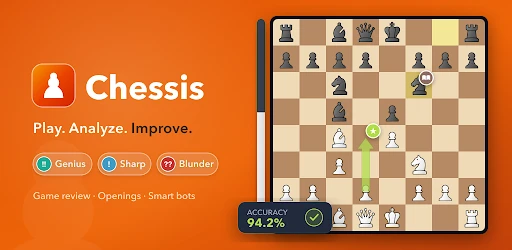
Improving at chess requires more than simply playing more games. Understanding why a move was strong, where a mistake happened, and how a position could have been handled differently is what helps players develop better strategies. Chessis PRO MOD APK is a popular search term for users interested in exploring the advanced analysis and training capabilities of Chessis: Chess Analysis, an Android application designed to turn completed chess games into practical learning opportunities.
Developed by Chess Improvement Apps, Chessis combines chess engine analysis, game reviews, opening exploration, and practice against computer opponents. It uses the Stockfish 19 engine to evaluate positions and help players identify blunders, missed winning opportunities, and stronger alternatives.
Whether you play casually or regularly compete on Chess.com and Lichess, Chessis provides tools to review your decisions and understand your games more carefully.
What Makes Chessis Different from Other Chess Apps?
Many chess applications focus mainly on playing matches or solving puzzles. Chessis puts considerable attention on analysing completed games and learning from mistakes.
Instead of showing only an engine evaluation, its game review system provides information about important moments, move quality, estimated rating, and different phases of a game. This makes the analysis more useful for players who want to understand the reasoning behind a position.
The application also combines analysis with interactive training. You can replay mistakes, explore alternative moves, practice opening traps, and play against computer opponents with different playing styles.
Chessis PRO MOD APK Features Worth Exploring
Chessis offers many features in its free version, while Chessis Pro adds additional analysis capabilities and removes advertisements. Here are some of the main tools that make the application interesting for chess players.
Stockfish 19 Chess Engine
One of the central features of Chessis is its integration with Stockfish 19, a powerful chess engine used to evaluate positions and calculate possible moves.
You can use engine analysis to examine a position, identify tactical opportunities, and compare different move choices. Multiple engine lines help you explore alternative variations instead of looking at only one suggested move.
Threat arrows and blunder detection also make it easier to understand what is happening on the board.
Detailed Game Review and Move Accuracy
Chessis can generate a game report that highlights the quality of your decisions. It includes information such as accuracy, estimated rating, and a breakdown of different game phases.
Moves can receive labels ranging from Brilliant to Blunder. These indicators help you identify important decisions without manually checking every position.
For example, if you lose a winning advantage in the middlegame, the report can help locate the critical moment and examine what went wrong.
Why Blunder Explanation and Mistake Replay
Finding a blunder is useful, but understanding the reason behind it is even more important.
Chessis includes a feature called “Why Blunder?” that helps explain the missed idea on the board. The Pro version adds access to this feature’s additional analysis lines.
Its Retry Mistakes function lets you revisit critical positions and try to find a better continuation. This creates an opportunity to practise the position rather than simply reading an engine recommendation.
Chess.com and Lichess Game Analysis
If you play online chess, reviewing your previous matches can help identify recurring mistakes.
Chessis supports analysing games from Chess.com and Lichess. You can also import PGN files, making it possible to examine games saved outside those platforms.
This is particularly useful for players who maintain a collection of their previous matches and want to study them in one place.
Camera-Based Chessboard Scanning
Chessis includes a camera-based board scanning option. It is designed to recognise a chess position from an image so that you can analyse it without manually placing every piece.
This can be convenient when studying a position from a photograph, screenshot, or printed chess material. However, scanning accuracy may depend on image quality and piece recognition, so check the detected board before starting the analysis.
Play Against Human-Like Bots
Chessis also offers computer opponents with different playing styles, including aggressive, defensive, and natural approaches.
You can choose a suitable difficulty level and practise without needing another person to join the game. Additional playing tools include hints, takebacks, move-strength feedback, and mistake alerts.
You can play casually or use a clock, depending on the type of practice you prefer.
Opening Explorer and Trap Training
Understanding openings helps players develop a more organised approach to the early stages of a chess game.
Chessis provides an opening explorer with opening names and main lines. Its trap-training feature also lets users practise well-known opening traps.
This can be useful for beginners learning common opening patterns and experienced players reviewing tactical ideas.
Board Editor and Advanced Analysis Tools
The board editor allows you to set up custom positions and examine them with a live evaluation bar.
Other analysis tools include:
FEN search and position exploration.
Annotated PGN export.
Chess960 (Fischer Random) support.
Engine-versus-engine matches.
Multiple engine lines and threat arrows.
Compatibility with Chessnut electronic chessboards.
The app also provides board themes, different piece designs, Google Drive backup, and support for 19 languages.
What Is Included in Chessis PRO MOD APK?
Most Chessis features are available for free, but Chessis Pro adds several benefits for users who need more extensive analysis.
According to its Google Play listing, Pro includes:
Unlimited game analysis.
Deeper analysis with higher depth and NNUE.
Unlimited engine lines and playable engine lines.
Mistake alerts and move-strength feedback while playing.
Additional “Why Blunder” analysis lines.
An advertisement-free experience.
These additions are particularly relevant for players who analyze many games or want to study positions in greater detail.
How to Analyse a Chess Game Using Chessis PRO MOD APK
You can start reviewing your chess games with a straightforward process.
Install Chessis from a trusted source and open the application.
Choose the game analysis option.
Import a supported PGN file or select a game from a supported chess platform.
Allow the application to process the game.
Review the accuracy report and move classifications.
Select important positions to examine engine suggestions.
Use Retry Mistakes to practise finding better moves.
For more useful results, focus on a few important mistakes at a time instead of trying to memorise every engine variation.
Who Should Use Chessis PRO MOD APK?
Chessis PRO MOD APK can be useful for different types of chess players:
Beginners: Understand basic mistakes and learn why certain moves are inaccurate.
Intermediate players: Review complete games and improve tactical awareness.
Competitive players: Study critical positions using deeper engine analysis.
Chess.com and Lichess users: Import and review games from their online accounts.
Chess enthusiasts: Explore openings, practise against bots, and experiment with custom positions.
It is especially useful for players who want to turn their previous games into structured learning sessions.
Things to Know Before Installing Chessis Premium MOD APK
People searching for Chessis Premium MOD APK may be interested in unlocking Chessis Pro features. However, modified APK files are unofficial versions and are not distributed or verified by the original developer.
A modified installation cannot guarantee access to every Pro benefit. Subscription verification, app updates, and other account-related services may depend on online systems.
Before installing an APK from an unofficial source, consider these precautions:
Check the reputation of the website providing the file.
Scan the APK with a reputable security application.
Review the permissions requested by the application.
Avoid entering sensitive account details into an untrusted build.
Keep your chess PGN files and important game records backed up.
Prefer the official version when reliable updates and support matter.
The official Google Play listing is the best place to check the current feature availability and Pro subscription details.
Frequently Asked Questions
1. What is Chessis used for?
Chessis is a chess analysis and training application. It helps users review completed games, identify mistakes, explore openings, and practise against computer opponents.
2. Does Chessis use Stockfish 19?
Yes. Its Google Play listing identifies Stockfish 19 as the chess engine used for game analysis and position evaluation.
3. Can Chessis analyse Chess.com and Lichess games?
Yes. Chessis supports analysing games from both platforms and also allows users to import PGN files.
4. What is included in Chessis PRO MOD APK?
Chessis Pro adds unlimited game analysis, deeper analysis, additional engine lines, mistake alerts, move-strength feedback, extra blunder explanations, and an ad-free experience.
5. Can I play chess against bots in Chessis?
Yes. The app includes computer opponents with different playing styles and difficulty levels. It also provides hints, takebacks, and move-strength feedback.
6. Does Chessis support Chess960?
Yes. Chessis includes Chess960, also known as Fischer Random chess, among its supported analysis features.
7. Is Chessis Premium MOD APK the official version?
No. The term is commonly used to search for modified APK builds. The official application is listed on Google Play as Chessis: Chess Analysis, with Pro available through its in-app purchase system.
Turn Every Chess Game into a Learning Opportunity
Chessis PRO MOD APK brings game analysis, Stockfish-powered evaluations, opening exploration, and interactive practice into one Android application. Its detailed reports and Retry Mistakes feature can help players understand their decisions instead of simply looking at a final result.
If you are exploring Chessis PRO MOD APK, pay attention to the difference between the official Chessis Pro subscription and features advertised by unofficial modified versions. The official application already provides many useful tools for free, while Pro is designed for players who need unlimited and deeper analysis.